Keep Important Notes Right On Your Home Screen
Stop opening apps to check your lists and reminders. Place customizable sticky notes directly on your home screen where you'll actually see them every day.
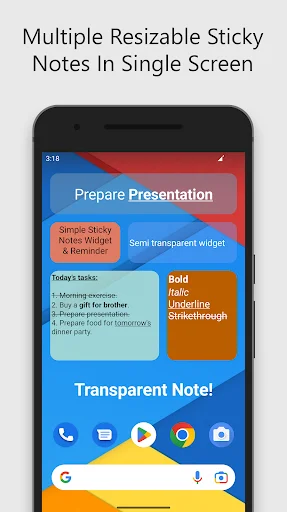
Your notes stay on your home screen so you never have to dig through apps to find important information. Glance at your phone and instantly see your grocery list, tasks, or daily reminders without tapping a single button.
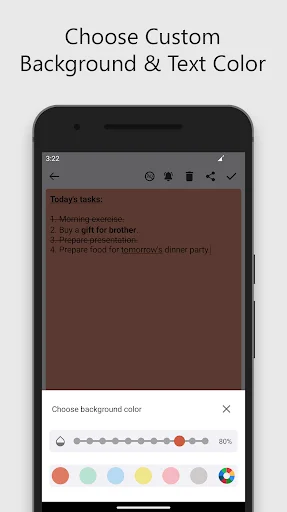
Customize your notes with colors, transparency levels, and text formatting that match your style. Keep your favorite wallpaper visible while displaying the information you need – no more choosing between function and beauty.
Write down your thoughts and move on with your day. The app automatically saves your work without complicated menus or extra steps, making note-taking as fast as grabbing a real sticky note.
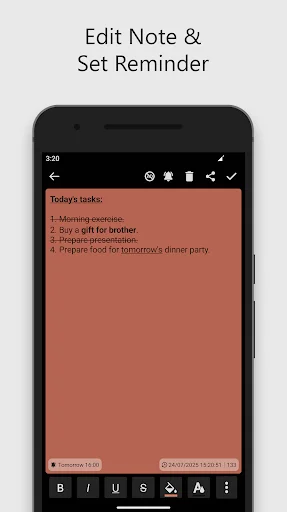
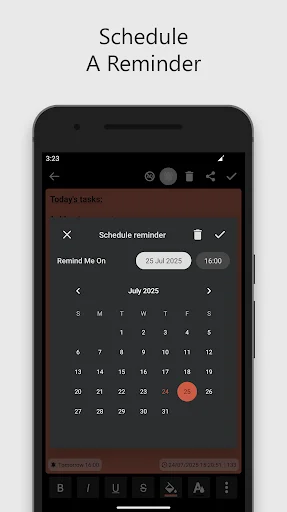
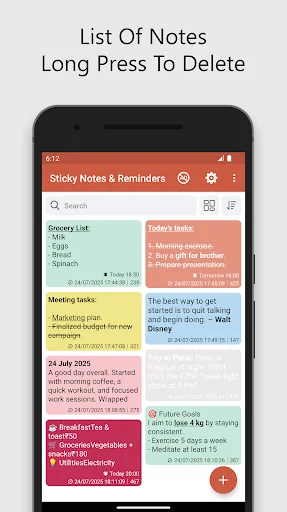
Create shopping lists, task checklists, and reminders all in one organized place. Add alerts to important notes so you get notified when it's time to act, keeping everything you need to remember in a single app.
Sticky Notes Widget: List Maker gives you a quick way to capture ideas, tasks, shopping lists, and everyday reminders without unnecessary clutter.
Sticky Note Widget: To Do List App helps you organize daily tasks in a simple format. Note Taking: Reminders Widget also lets you attach reminders to important notes so useful information is easier to remember.
Color Note Reminder Widget lets you choose different colors and transparency settings so individual notes are easier to recognize.
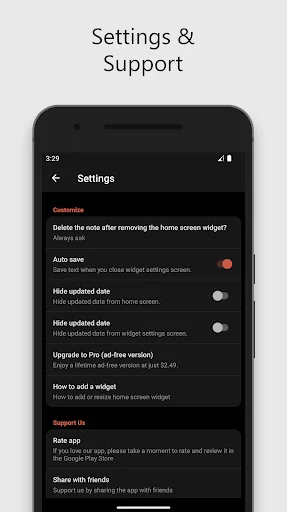
Post It Notes Organizer saves your work automatically, helping you continue without repeatedly pressing a save button.
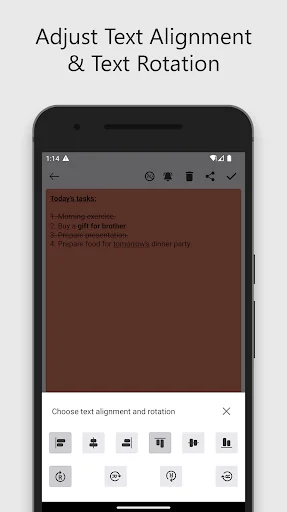
Sticky Notes For Home Screen makes frequently used information available at a glance. Add a widget through your device's home screen controls, then move or resize it depending on your available space. Notepad: Post It Widget gives you control over background colors, transparency, text size, alignment, and rotation. Selected text can also use supported formatting such as bold, italic, underline, or strikethrough.
Writing Notes Check List works well for groceries, errands, work items, study tasks, packing lists, or simple daily plans. Keep short reminders visible instead of relying on scattered pieces of paper. Note Taking: Reminders Widget combines written information with scheduled alerts for tasks you do not want to forget. Add a reminder to a supported note and return later when the notification appears.
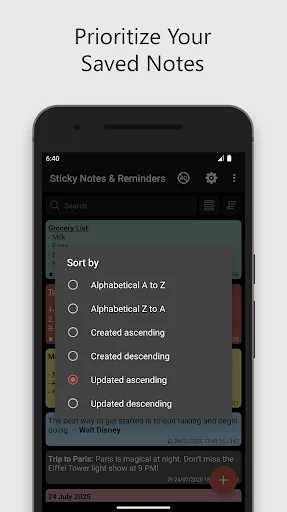
Post It Notes Organizer gives you one place for quick thoughts and useful information. The built-in search feature helps locate saved content without manually opening every note. Color Note Reminder Widget focuses on fast note creation and easy customization rather than complicated menus. Automatic saving helps keep the experience smooth when you only need to write something down quickly.
Sticky Notes Widget: List Maker combines home screen widgets, reminders, lists, text formatting, search, automatic saving, and visual customization in one straightforward note-taking experience.
Icons used in this app are created by the following authors from Flaticon: Pixel perfect, Tempo_doloe, Ilham Fitrotul Hayat, Bharat Icons, Arkinasi, Google, Vectors Tank, Dixit Lakhani_02, Muhammad Ali, icon wind, egorpolyakov, Freepik, Icon Desai, Hilmy Abiyyu A.
Icons sourced from: www.flaticon.com
EXCELLENT! _ A perfect 5 stars! _ WOW! This is literally one of the best Apps in Google PlayStore because of what it does. _This App allows you to create a PERFECT NOTE WIDGET THAT YOU CAN PLACE ON A THE HOME SCREENS. IT CAN BE ANY SIZE or ANY COLOR! YOU CAN CUSTOMIZE THE TEXT TO ANY SIZE OR COLOR. _THEN YOU CAN REPEAT & EDIT & UPDATE ALL OF THESE PARAMETERS OVER & OVER AGAIN! Why that is so great is because, not only can you recreate a new note from start, BUT YOU CAN "RE-EDIT" THE SAME LIST!
This helps so much beforehand I would have to send a text message to my wife's phone so she could send it back to my phone so I would have a list of what I needed to get so I don't forget . Now with this it's so much easier just to tap the widget which opens up a nice little sticky note . Now with this it's so much easier just to tap the widget which opens up A page that is yellow where I can make a list of all the things that I need to get from the grocery store store. Thank you very much
I love this app. Allows you to put notes on your background and you can adjust the translucency to different levels so you can still see the background. Simple and easy to use. Ads pop up once in a while after opening the ap but are easy to close out of right away. I use this app very frequently and it's so useful to make lists, reminders or anything you'd like to take note of. Makes my life easier. There's no other sticky note app I'd ever need, this one is great. Thank you developers.
I am so so happy thankyou so much for this app!! After changing to a new phone, I could no longer use the sticky notes app I had on my previous phone. I searched for ages to find a sticky note app I could change the background to transparent(So it didn't ruin my homescreen picture). I had no luck, I honestly almost gave up looking... Till I found your app!! Your app is even better than the one on my old phone, because you can customise your text colour too. 5+ stars just what I wanted.
LOVE this app! I have it over my wallpaper. I can see my wallpaper photo and the notes I write. No need to 'open' the app, it is right there, on the wall. It is very easy to edit my notes. The letters can be changed to different colors. I can cut, paste, delete and change the spacing. Being able to just slide my screen over and see my notes and my wallpaper photo is my favorite. Just the words, no other background, transparent, love it. CY
Easy to use with many options for font size and note colors. Love the way the note looks on my tablet. I can control transparency so it doesn't overpower my background. Excellent app.