Take Control of Your Shift Schedule
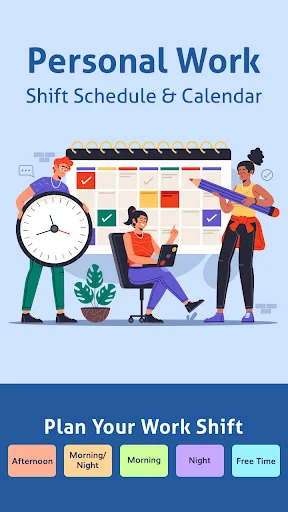
Stop stressing about rotating shifts and irregular hours. Organize all your workdays, rest days, and multiple jobs in one visual calendar that actually makes sense.
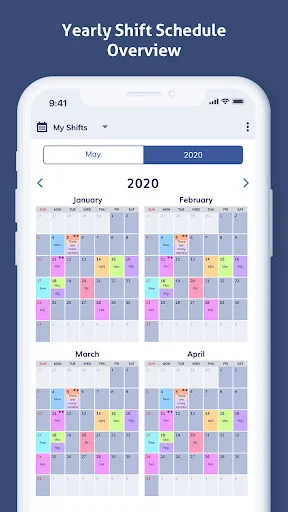
Keep separate schedules for different jobs, family members, or coworkers without switching apps. Everything stays organized in one place, so you always know who works when.
Stop entering the same shifts over and over. Copy, paste, and repeat your rotating patterns across weeks or months in seconds, giving you more time for what matters.
Know what to expect in your paycheck before it arrives. Enter your hourly rate and the app calculates your earnings based on scheduled hours, helping you budget with confidence.
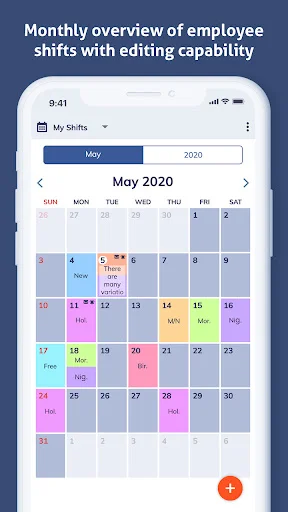
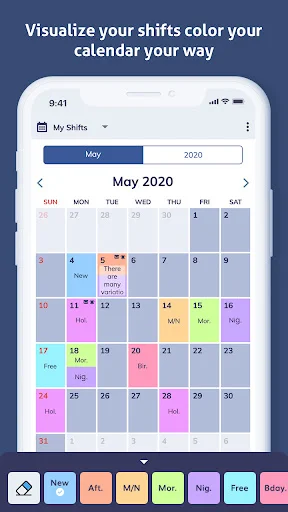
Make busy schedules easy to read at a glance. Color-code different shift types, add labels and icons, so you can instantly see your week without confusion.
Organize workdays, rest days, overtime, vacations, and rotating schedules from one place. Create separate calendars for different jobs, family members, or coworkers and keep important dates easier to review.
Shift Tracker: The Scheduling App gives you tools for adding, copying, repeating, and editing shifts. Review hours, notes, reminders, and projected earnings based on the information you enter.
Work Schedule Tracker helps you see upcoming shifts in a clear calendar view. Work Calendar: Custom Shift Scheduler lets you personalize shift types with colors, text, icons, and headers so busy weeks are easier to read.
Shift Days: Work Schedule Maker can save time when the same pattern repeats across several days or weeks.
My Shift Planner App lets you create multiple shift types and organize them with visual details. Work Schedule Tracker can support split shifts, overtime, vacation time, and recurring patterns based on how you configure the calendar.
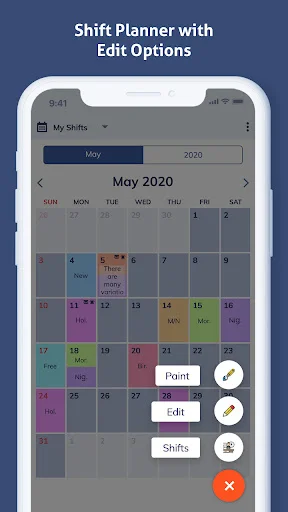
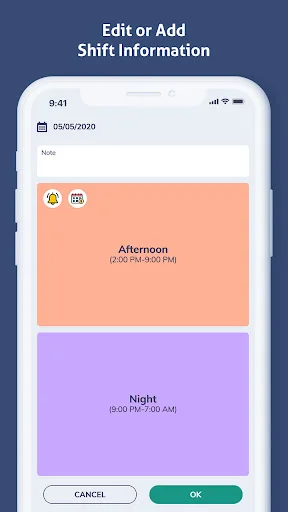
Work Calendar: Custom Shift Scheduler supports editing selected days when you need to insert, copy, cut, paste, or repeat shifts. This can make rotating schedules faster to maintain than entering every day manually.
Shift Days: Work Schedule Maker helps you reuse schedules that follow a familiar cycle. Review generated dates whenever your real work pattern changes.
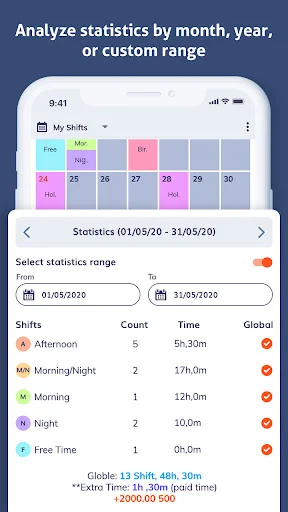
Shift Work: Calendar Schedule can calculate recorded work time and show available overtime or vacation totals. Add reminders, text notes, or images when you want more information attached to a date.
Job Schedule App can estimate earnings from the hourly and extra-hour rates you provide. These values are planning estimates and may not include taxes, deductions, bonuses, or employer-specific payroll rules.
Available backup tools can help preserve supported calendar data or move it to another device. Sharing options can make it easier to send schedule information to coworkers, family, or friends when needed.
My Shift Planner App brings scheduling, repeated shifts, reminders, notes, hour tracking, projected earnings, and backup tools together in one practical calendar.
I needed a SIMPLE calender that each person had a Color assigned- for a quick glance for WHO picks up the child from school, on any particular day. I love that it has an Alarm for the Reminder ! It's Easy. Brief. To the point. Free. PERFECT ! ~ GrandMa
Icons easy to understand simple for work force and controls are legible probably will buy premium to adjust times and synchronize hrs with actual templates well rounded . Ps I have a Samsung galaxy A13 .Metro pcs add can be closed quick.
Just what I was looking for. I was going to highlight my free weeks, as I work on a 2-weeks-on-1-week-off pattern. This app's perfect for that. Done my schedule within minutes until 2025. Bought premium version immediately.
This is very great app. I already used for a few months and have yet encounter any issue. I work rotational shift and can edit easily my schedule and plan ahead. No problem when created multiple schedule. Recommended!
This app is so easy to use. I wish I would of had this years ago. It makes my life much simpler. I just glance at the app on the phone and my week is all there organized. Thanks! 🙂
I love the app, super easy to use, tracks everything amazingly. Setting up the shifts then being able to add it to each applicable day is the best feature.