Speak Arabic, Type Arabic – Instantly
Stop struggling with slow typing. Turn your voice into Arabic text in seconds, or switch seamlessly between Arabic and English with one keyboard designed for the way you communicate.
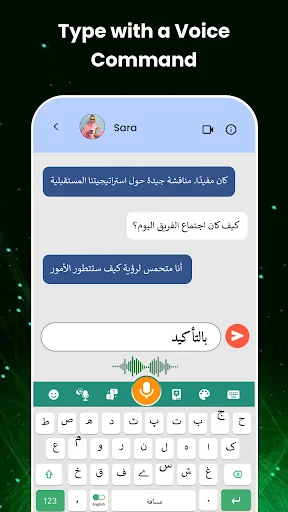
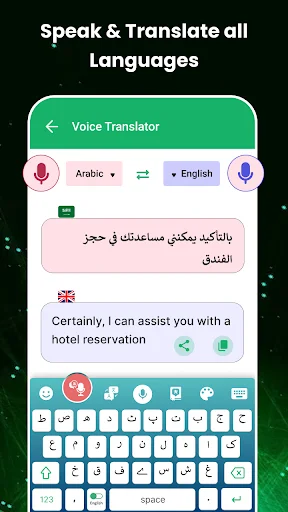
Speak naturally and watch your Arabic words appear on screen. Perfect for long messages or when your hands are busy, voice input saves time and eliminates typing fatigue.
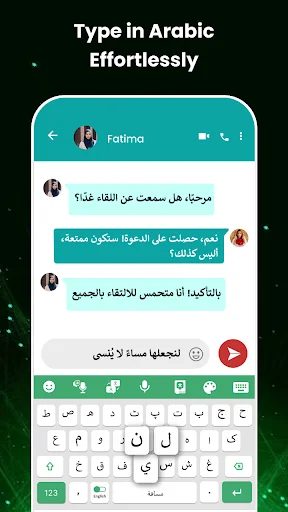
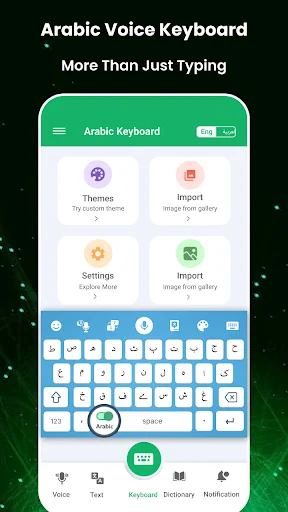
Switch between Arabic and English without changing keyboards. Write bilingual messages smoothly and keep your conversations flowing without interruption.
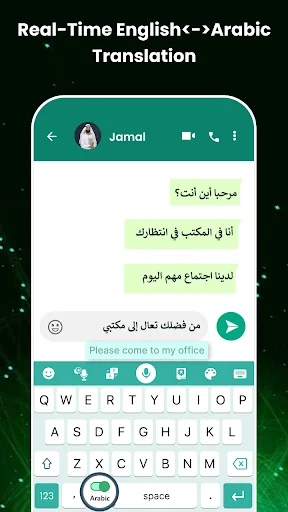
Use familiar English letters and convert them into Arabic script instantly. Ideal when you know how words sound but need help with Arabic character placement.
Speed up your writing with helpful next-word predictions. Compose sentences faster with fewer taps and spend less time correcting mistakes.
Put your thoughts into words with Arabic Voice Typing Keyboard, whether you prefer speaking or entering text by hand. An Arabic Keyboard With English makes it easier to move between familiar letters and Arabic script for everyday messages.
If you are looking for English Type Arabic Keyboard With Harakat, start with the available typing options and check the marks your text needs. This app focuses on voice input, transliteration and sharing; do not assume automatic vowel marking.
Speak a longer thought, then read the result before sending it. A Fast Arabic Keyboard For Android can be useful when you want to spend less time entering each letter. Recognition can take a moment after you stop speaking, and you may need to correct names or unfamiliar words.
For English Type Arabic Keyboard With Harakat searches, remember that transliteration and vowel marking are different tasks. Before relying on a Harakat Keyboard Tool, check whether the marks you need are available and review them yourself.
Use an Arabic English Keyboard for greetings, notes and longer messages without rebuilding each thought from scratch. The All Arabic Keyboard App experience gives you a choice between speaking and typing, so you can choose what suits the moment.
A quieter place and steady speech can help a Fast Arabic Keyboard For Android recognize your words. Results vary with pronunciation, surrounding noise and the speech service in use. Voice input requires microphone permission; some functions may need an internet connection.
If English Type Arabic Keyboard With Harakat is your goal, inspect the final text rather than assuming every vowel mark has been added. A Harakat Keyboard Tool should be assessed against the specific marks your writing requires. Review important names, numbers and meanings before sharing.
Your Arabic English Keyboard can support a familiar daily routine, from short replies to text you want to copy elsewhere. With the All Arabic Keyboard App layout, the emphasis stays on entering, checking and sharing words. Evaluate any Harakat Keyboard Tool requirements separately from basic speech recognition.
Choose an Arabic Typing Keyboard that fits the way you communicate and take a moment to check each result. A Fast Arabic Keyboard For Android is most useful when convenience is paired with your own review.
I am amazinly becoming Arabian with the help of this application. I recomend it for whoever wants to learn arabic with ease.
THANK YOU I HAVE EXPERENCE MUCH TO THIS KEYBORD ARABIC I LEARN MUCH HOW TO WRITE ARABIC
It is functioning to My entire satisfaction.The app is best designed.
It's the best keyboard i hv ever downloaded Keep it up
this app is really easy to use it is amazing
Good service and easy to use,thank you