Master Your Tasks Without the Overwhelm
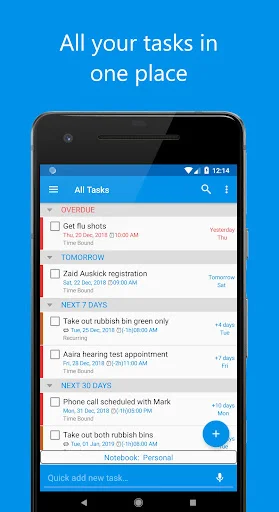
When.Do is the beautifully simple to-do app that helps you organize everything from daily checklists to complex projects. Stay on top of what matters without the clutter or complexity.
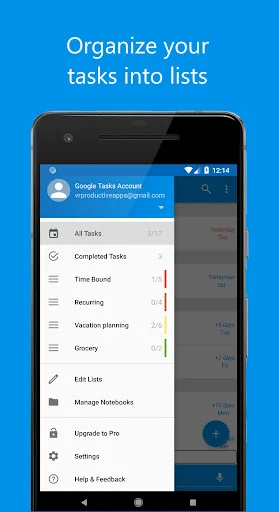
Separate work, personal, and projects into distinct notebooks with multiple lists. Color code and arrange everything exactly how you think, so you always know where to find what you need.
Sync seamlessly with Google Tasks and manage multiple accounts in one place. Your tasks stay updated across all your devices and apps, giving you flexibility without the hassle.
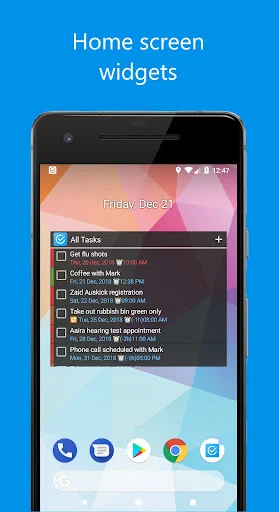
Complete tasks directly from your home screen widget without opening the app. See what needs doing at a glance and stay productive without interrupting your flow.
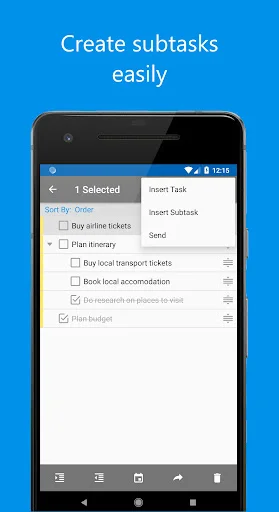
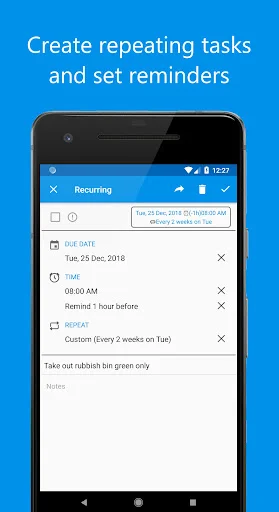
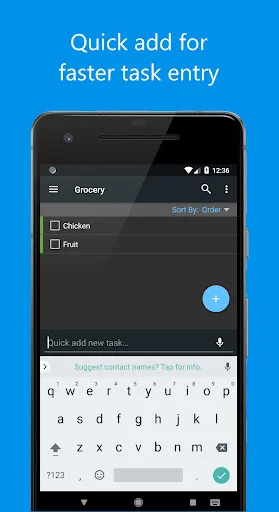
Use it as a simple shopping list or build complex projects with sub-tasks, reminders, and recurring schedules. When.Do grows with you, from basic checklists to advanced task management.
When.Do is a simple and easy to use To Do List app.
It is designed to boost your productivity, and make your life easier.
You can work with a single checklist of to-dos, or have a number of lists sorted into different notebooks.
Privacy Policy: http://www.vrproductiveapps.com/privacy-policy.html
For feature requests or bug reporting, please email vrproductiveapps@gmail.com
If you want to help translate the app, please email vrproductiveapps@gmail.com
Icons are provided by icons8: https://www.icons8.com
The best to-do app in the entire Google Play store, no question. The ability to separate tasks into separate notebooks and lists is genius. Multi level nested list entries, ability to date and repeat tasks on a custom schedule, notes within list items, flexible display and sort options, a dark theme...and the dev doesn't even charge for it, just donations! Skip the lousy to-do apps that make you pay for yearly subscriptions and bloated features. Whoever is being this app understands task management exquisitely. Synchronization with Google Tasks is not only appreciated, it is a killer feature. It means tasks can be managed with When.Do, and they will be synchronized with Google Calendar into an app like Business Calendar 2. This gives the full flexibility to view and manage tasks on their assigned days right inside the calendar, synching between any apps that utilize your Google Tasks. Love. Love, love, love! I have explored every to-do app in the store for the past two years. This is the one. Period. Thank you, VRProductiveApps, whoever you are. You're the best.
When.Do is great for identifying and organizing the tasks needed to complete multiple projects. The capability to include sub-tasks provides a means for recording the actions and/or resources that are needed to complete the task. Some of the features may not be obvious at first: tap a task to edit it, touch and hold to change to select mode, in select mode: tap to select or unselect tasks, hold on right and drag to move a task, ... The operations available under the three dots changes depending upon the mode. I suggest you touch each of the graphics to learn what it does. When.Do is even useful in maintaining the items in a shopping list. :)
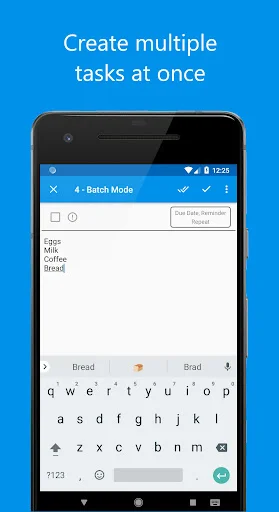
I've tried pretty much every list-making app out there, and this is by far my favorite. It's straightforward, doesn't force me to add a ton of extra information to a task when I'm just making a simple checklist, but does have options for repeating tasks, etc. You can nest tasks in a collapsible tree to create subtasks by simply indenting, the very inexpensive Pro upgrade allows batch-addition of tasks, and YOU CAN CHECK OFF TASKS DIRECTLY IN THE WIDGET, instead of having to open an edit window.
This may be about the best app on my phone! It organizes most my life! What to accomplish this morning (in order with reminders). Keeps a list of TV shows I want to watch (in order with where and when). Separate list of books. Ditto movies. Reminds me when (if) to turn shed heat on or off daily in winter. Questions to ask doctor. Grocery list. Separate list for buying club. List of friends (and their info) to get a hold of. Questions for my mechanic. Like I said, one of most useful apps!
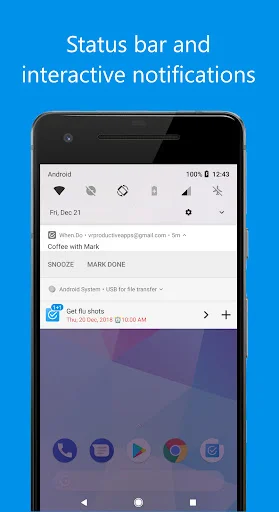
A Well Designed App This app is just what I have been looking for. It has everything I want. The ability to create a task with a due date and time and then create a reminder minutes, hours or days before. A great repeat function ie 3rd Wed of every month and a snooze function with tremendous options ie 3 minutes, 4 days and the ability to create categories. So far I am very pleased with this app.
Excellent app! I used to use GTasks but it hasn't been updated in a while and was getting buggy. I needed an app that syncs with Google tasks and allows manual sort, which this app does. The dark mode is a big plus for me as well. The free version is very usable and all I needed, but I paid for the Pro version to supports such a well made app!